
Free
Mac, iPhone, and iPad
- Subscription tracking and charge reminders
- Timeline and Calendar views
- Subscription Review
- Annual Statement
- Backup, import, and export

Subscription manager
How much you pay each month, when you’re charged, and which ones you should have canceled long ago — Mili shows you at a glance.
Requires macOS 14 or laterComing soon to iPhone and iPad
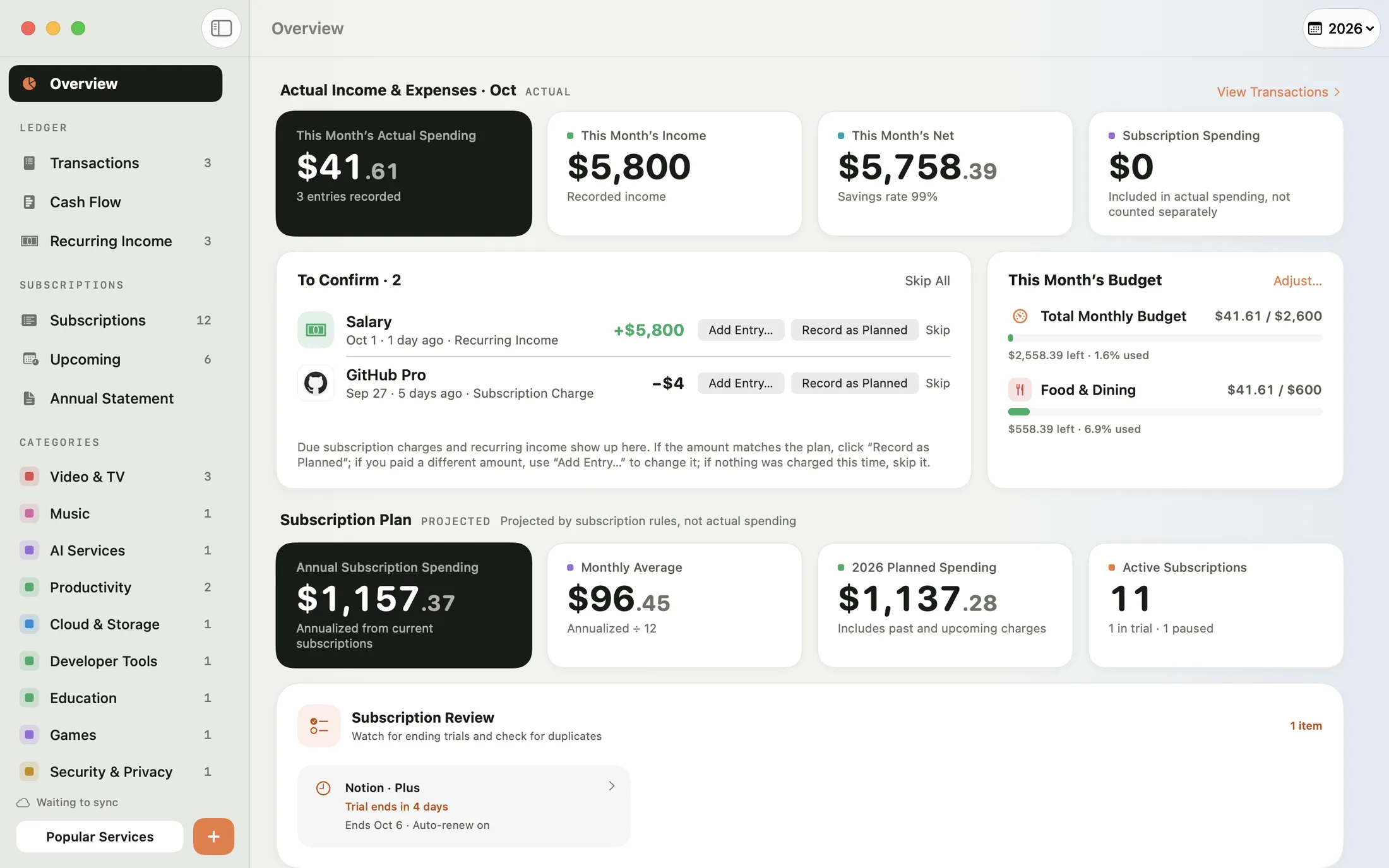
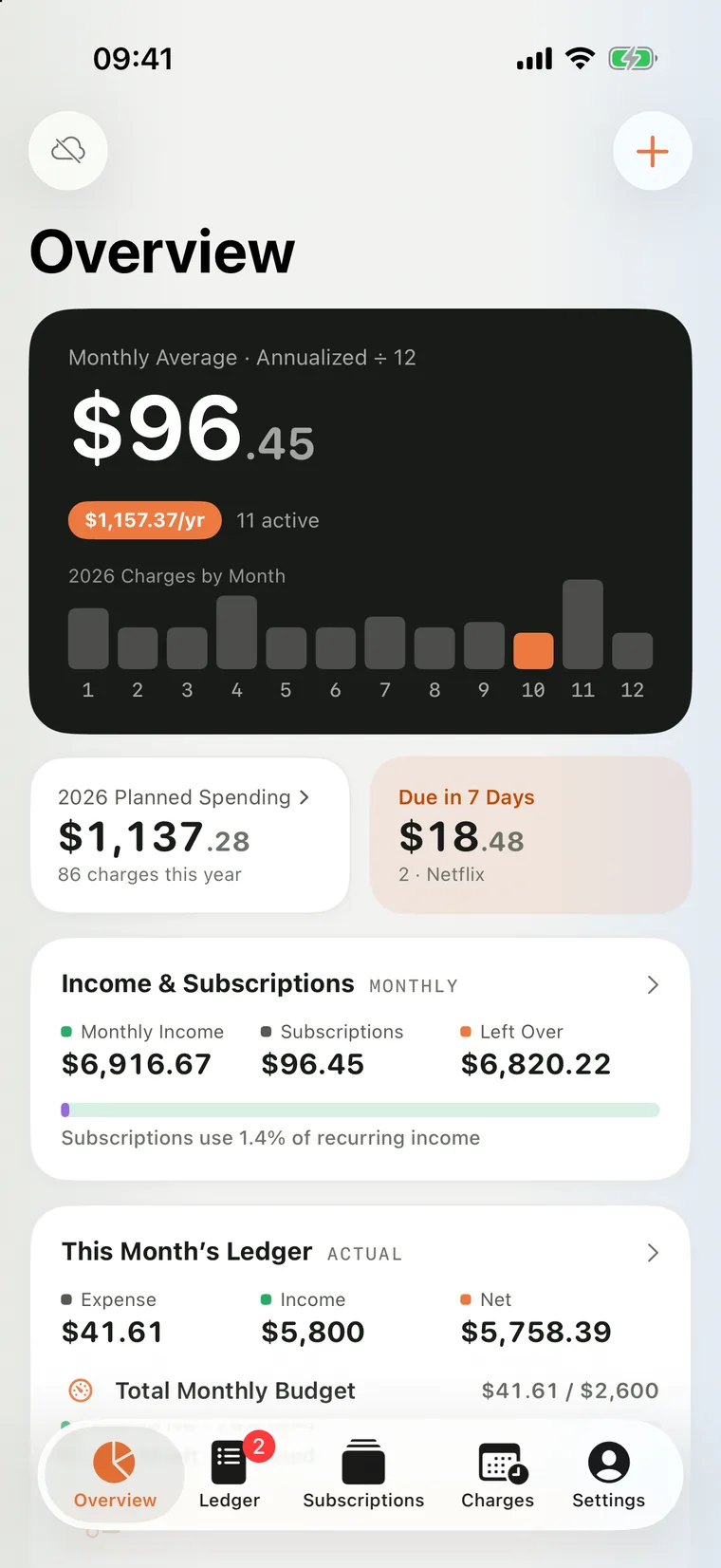
Mili shows you exactly what you spend on subscriptions each year, reminds you before you’re charged, and even helps you track your actual income and expenses. All your data stays on your devices and in your own iCloud.
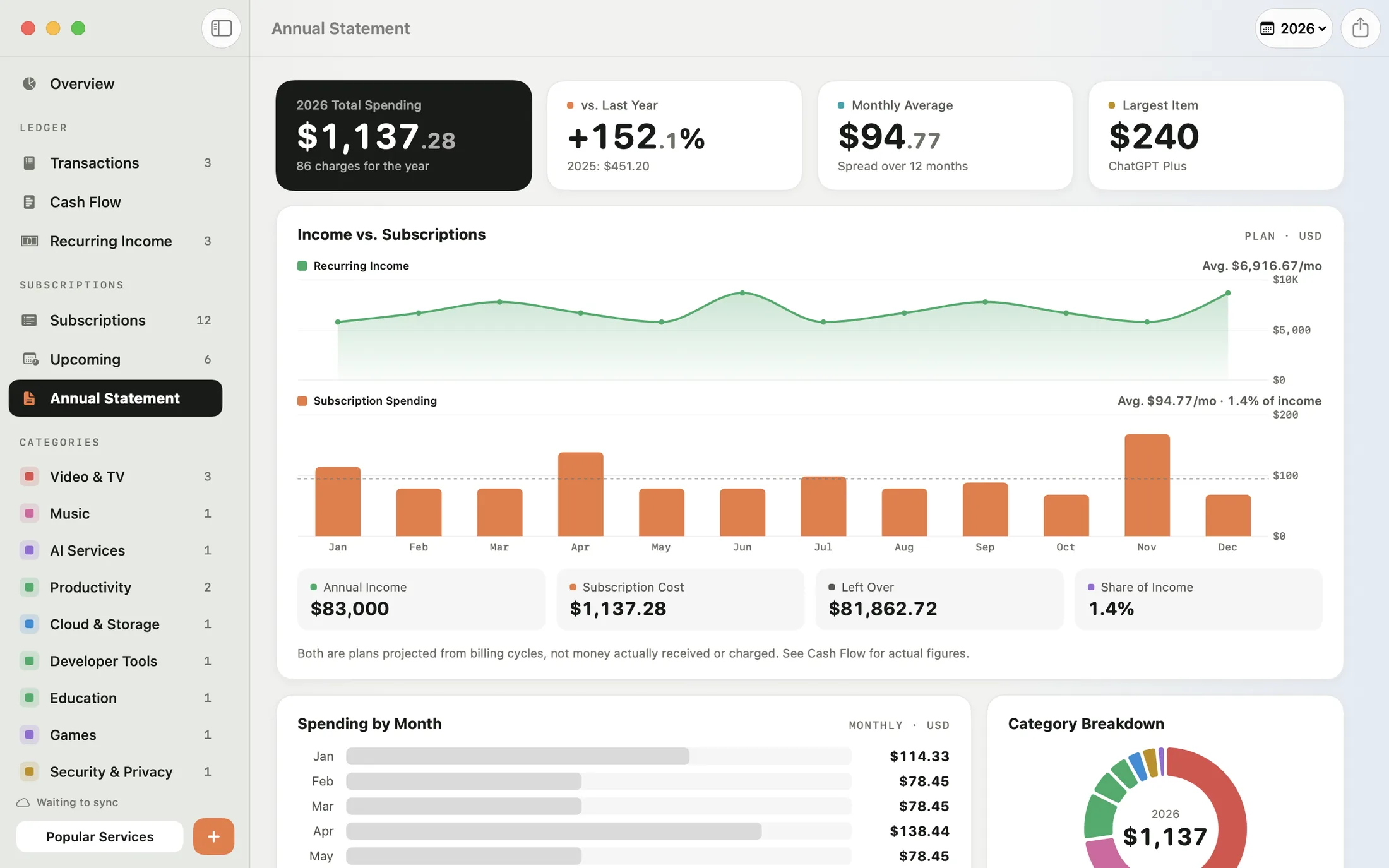
Annual Statement
Total spending for the year, the change from last year, a month-by-month chart, a category breakdown, and a line-by-line look at every service — all on one page. Foreign currencies are converted to your base currency automatically.
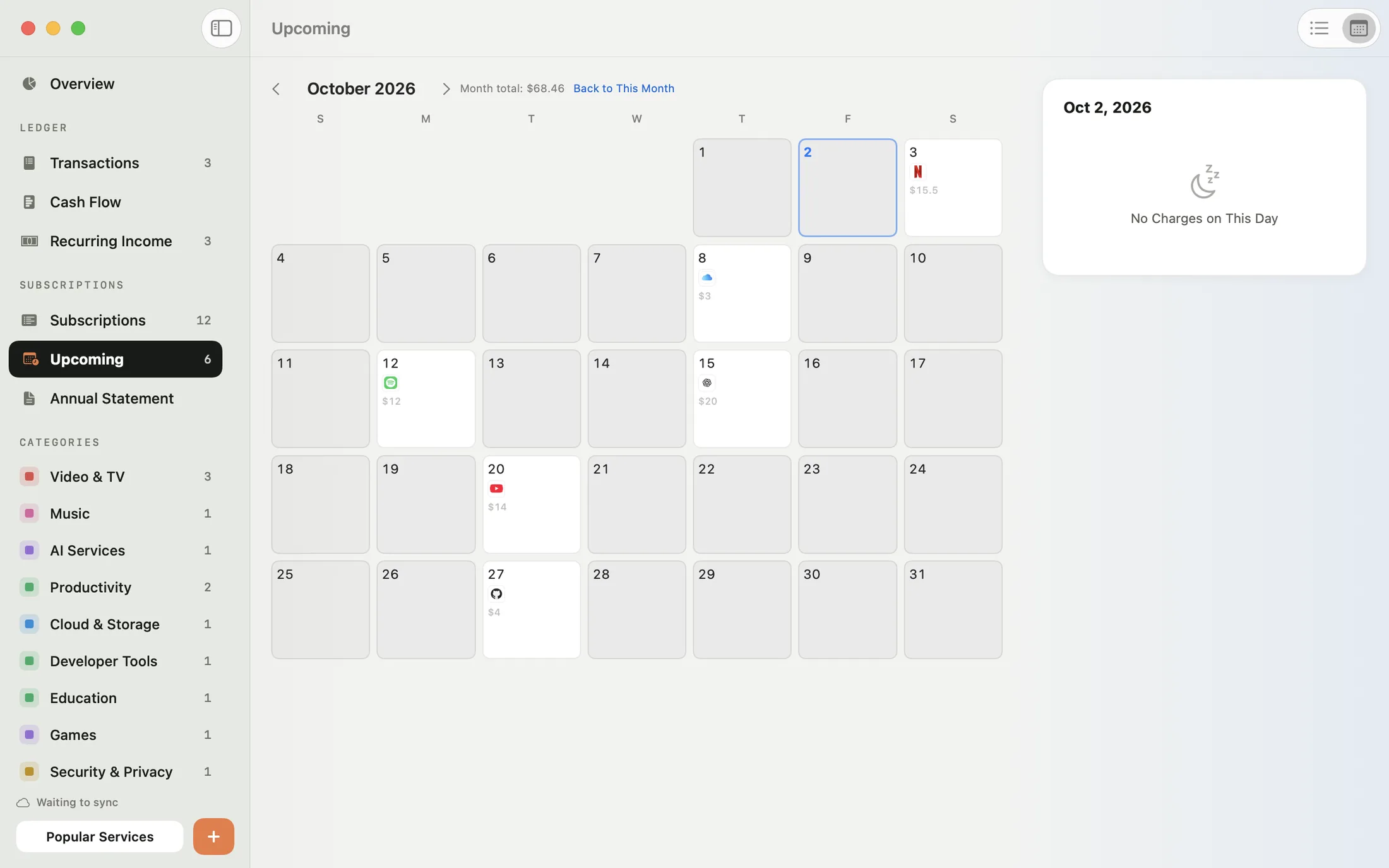
Charge reminders
Timeline and Calendar views lay out every upcoming charge at a glance. Choose how many days ahead to be reminded for each subscription, and trials that are about to end get flagged early.
More features
Mili knows 245 popular services from around the world. Type a name, and the icon, brand color, category, and typical price are filled in for you.
Trials about to end, duplicate subscriptions, and trials missing an end date are flagged right in Overview. Fix any of them in a click.
Record each charge in the currency you actually pay in. Totals are converted to your base currency, and exchange rates can be updated online.
Monthly, quarterly, every six months, yearly, weekly, or one-time — or set your own, like every N days, weeks, months, or years.
Three styles — Classic, Glass, and Solid — with light and dark looks that switch along with your system.
Mili saves a backup before your first change each day and keeps it for 14 days. You can also export your subscriptions and ledger as JSON or CSV.
Mili follows your system language and shows dates, amounts, and the first day of the week the way your region does.
Delete or pause something by mistake? Undo appears at the bottom of the screen, so you can put it right back in one step.
Mili Pro
Ledger, budgets, recurring income, and iCloud sync — all right alongside your subscriptions.
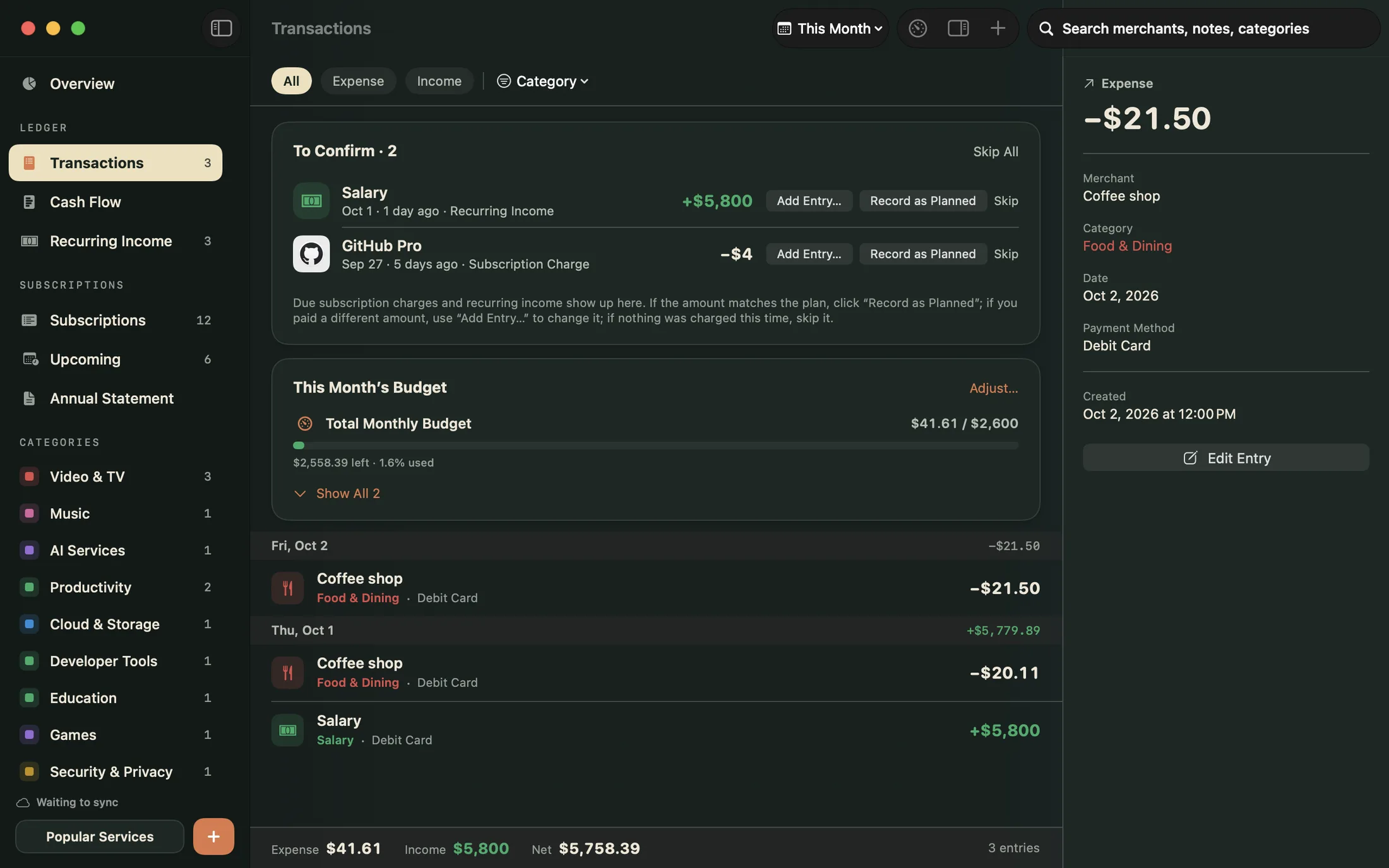
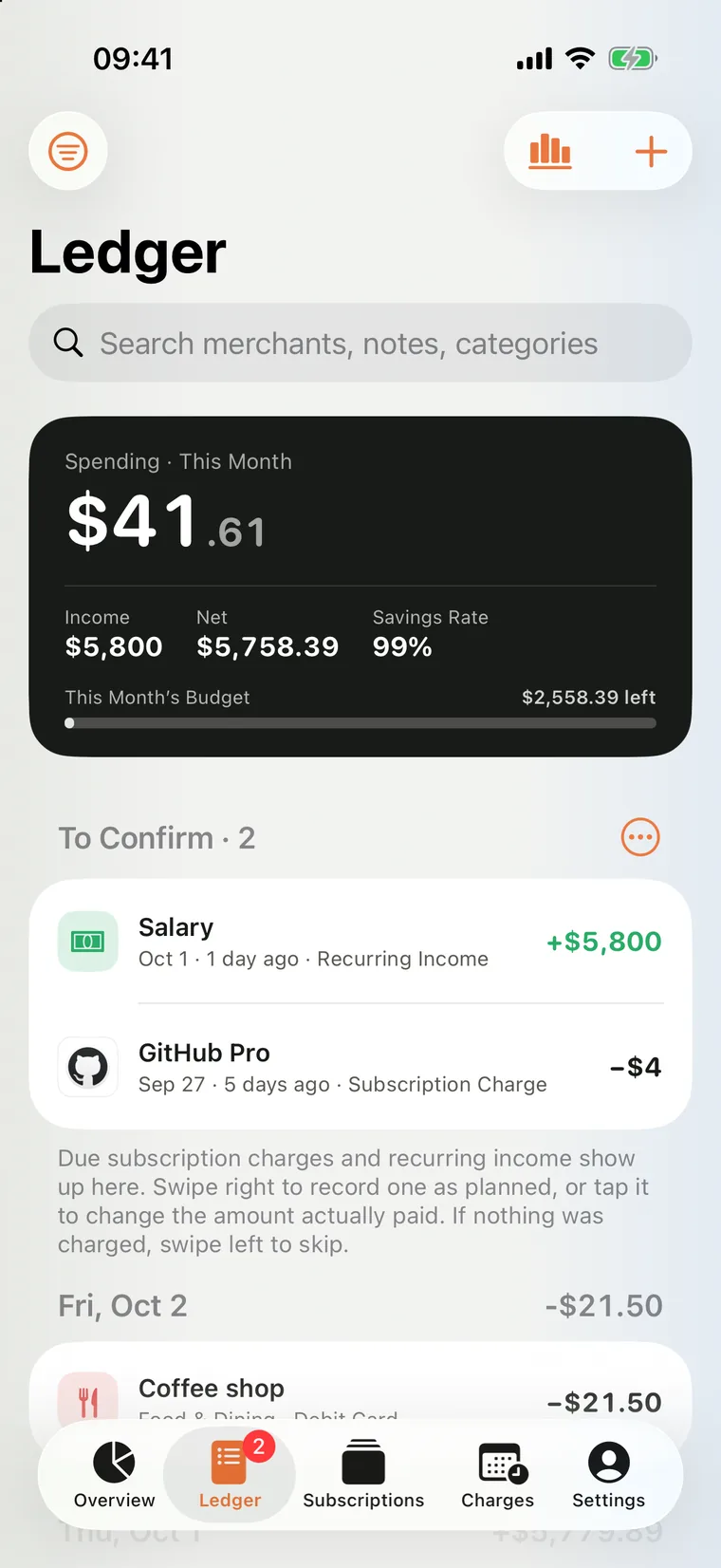
Record what you actually spend and earn, grouped by day and totaled by category. Set a monthly budget to see what’s left at any time — overspending stands out in a bold color.
Subscription charges and paychecks that come due appear in To Confirm. Record one as planned with a single click, change it to the amount you actually paid, or skip it this time.
Recurring income like your salary is projected from its schedule and compared with your subscription spending month by month, so you can see what share of your income goes to subscriptions.
Your subscriptions, ledger, and income sync across your devices through your own private iCloud database — never through a third-party server.
Mac
A native SwiftUI app. The sidebar, menu bar, and keyboard shortcuts all work the way you expect on a Mac, so the things you do most are just a keystroke away.
iPhone and iPad Coming soon
Mili for iPhone and iPad is on its way. Touch and hold the Home Screen icon to add an entry, add a subscription, or open the Billing Calendar. On iPad, Mili adapts to a sidebar and two-column layout.
On iPhone and iPad, subscription tracking, charge reminders, the calendar, and the Annual Statement are free.
Privacy
No accounts. No ads. No analytics or tracking of any kind.
Just open it and go. No account, no password.
It lives only on your devices and in your own private iCloud database. Not even the developer can read it.
Mili uses no advertising, analytics, or crash-reporting services.
Export your subscriptions and ledger as JSON or CSV anytime.
Pricing
Mac, iPhone, and iPad
Billed monthly or yearly
Mac, iPhone, and iPad
See the App Store for current pricing. Mili Pro renews automatically for the period you choose. Cancel anytime in your App Store account settings.
Mili for Mac is coming soon to the Mac App Store.
Requires macOS 14 or later