Reminders and Insights
Overview, Subscription Review, and the Annual Statement
Understand Mili’s numbers: monthly average and annual subscription spending, what Subscription Review flags, and the Annual Statement with CSV export.
Overview
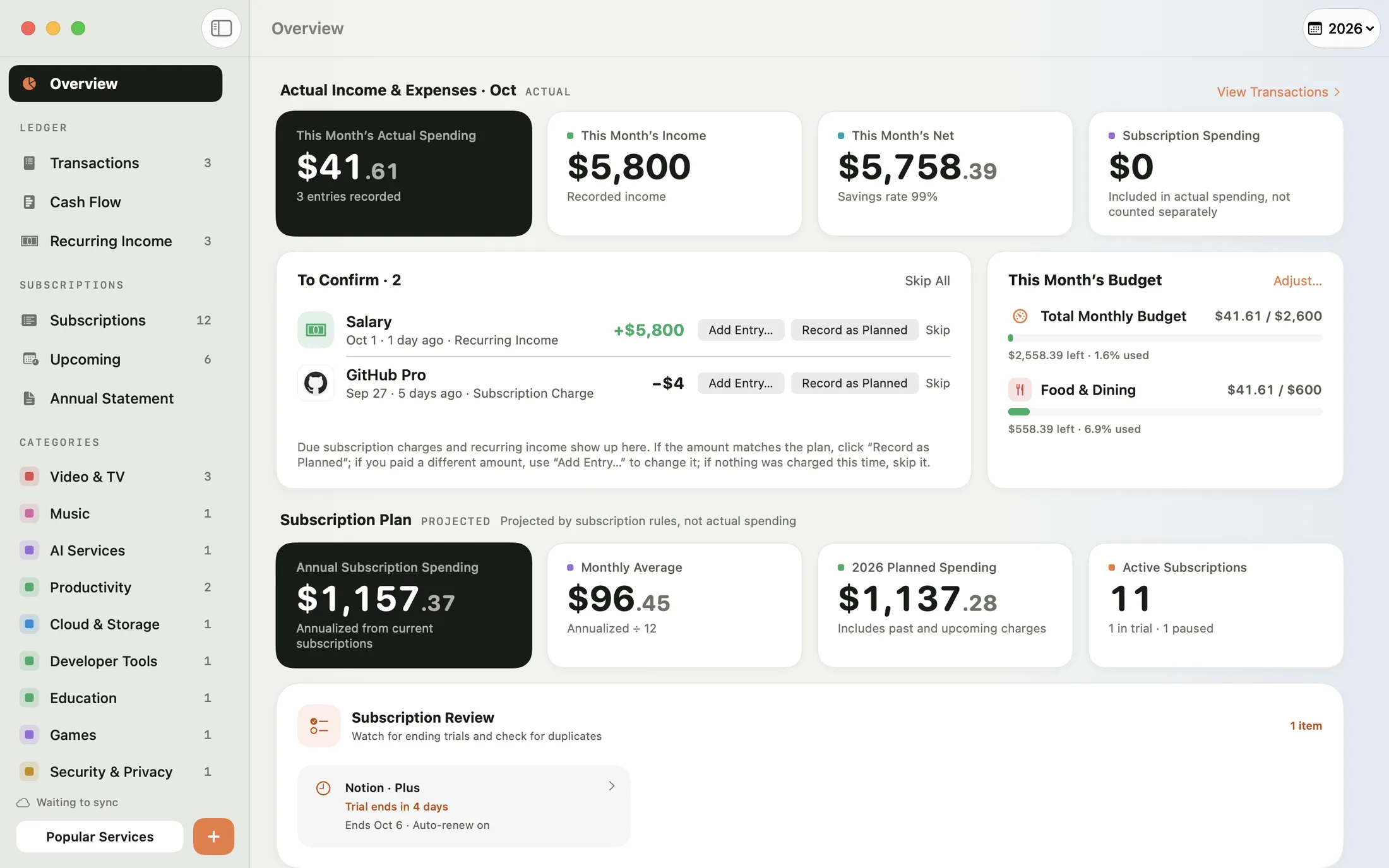
Overview (⌘1) is the first page you see when you open Mili. Everything in the Subscription Plan section is projected from each subscription’s billing schedule — it isn’t money you’ve already spent:
- Annual subscription spending, the monthly average, planned spending for this year, and the number of active subscriptions.
- A bar chart of spending by month, Share by Category, and Top Spending. Click a category in Share by Category to see only the subscriptions in it.
- Upcoming Charges: the next few charges in the coming 30 days. Click See All Upcoming Charges for the full list.
Use the year menu in the toolbar to switch years. If you subscribe to Mili Pro, the top of Overview also shows this month’s actual income and expenses, To Confirm, and your budget.
Subscription Review
Subscription Review helps you catch spending that’s easy to overlook:
- Trials ending soon: Subscriptions with the status Trial whose Trial End Date is within 7 days (including ones that have already passed). Mili shows how many days are left and whether Auto-Renew is on.
- Trials without an end date: You’ll see Add Trial End Date. Mili can remind you on time only once the end date is filled in.
- More than one subscription to the same service: When a service has several subscriptions, they’re flagged. They may be for different accounts or plans, so check whether you need all of them.
Click an item to open that subscription and edit it. When there’s nothing that needs your attention, the card says “No trials ending soon and no duplicate subscriptions.”
Annual Statement
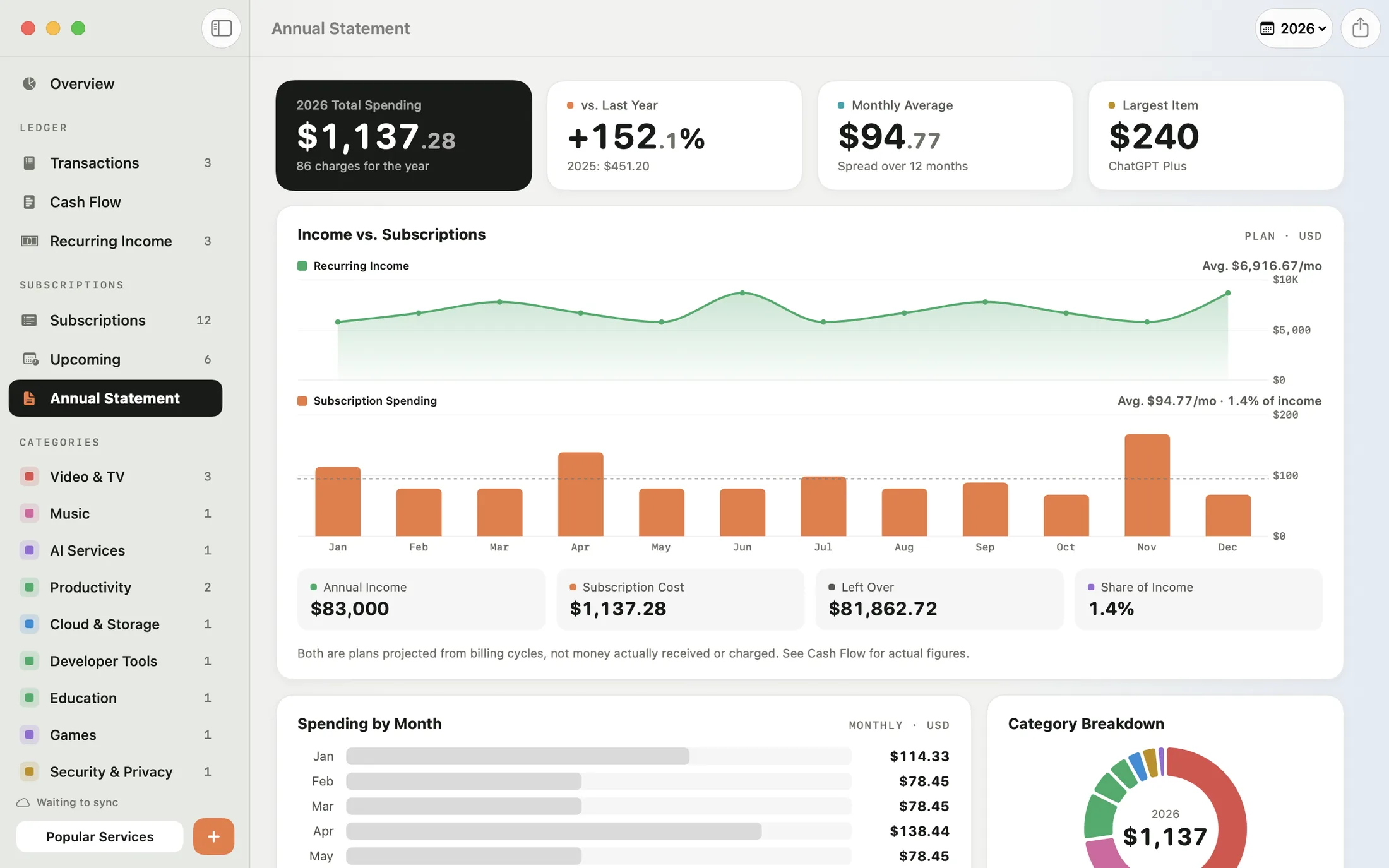
The Annual Statement (⌘5) lays out a whole year of subscription spending: total spending and the change from last year, the monthly average, the largest item, spending by month, a category breakdown, and each service’s unit price, number of charges, subtotal, and share. Spending in foreign currencies is converted to your base currency.
Click Export CSV to save the Annual Statement as a spreadsheet you can open in Numbers or Excel. The Annual Statement doesn’t require Mili Pro. With Mili Pro, it also includes Income vs. Subscriptions — see Recurring income vs. spending.