Reminders and Insights
Charge reminders and Upcoming
How Mili reminds you before you’re charged, how to choose how many days ahead, and how to see every upcoming charge in the Timeline and Calendar views.
Charge reminders
A few days before each charge, Mili sends a notification at 10 a.m. — for example, “Netflix is due tomorrow” — showing the amount, billing cycle, and charge date. When several reminders fall on the same day, they’re combined into one, such as “3 charges due tomorrow.”
- How far ahead: 3 days by default. New subscriptions use Default Advance Reminder in Settings > General, and you can set each subscription individually with Remind in Advance in the editor — anywhere from 0 to 30 days.
- Which subscriptions get reminders: Subscriptions with the status Active or Trial that have Auto-Renew turned on. Paused and canceled subscriptions don’t get reminders.
- No servers involved: Reminders are local notifications created on your Mac, so they arrive even when you’re offline. Each time you open Mili, it schedules reminders for the next 120 days. If you haven’t opened Mili in a long time, just open it once to catch up.
Tip
Not getting notifications? First, open System Settings > Notifications on your Mac and make sure Mili is allowed to send notifications. Then check that Charge Notifications is turned on in Mili’s Settings > General.
Upcoming
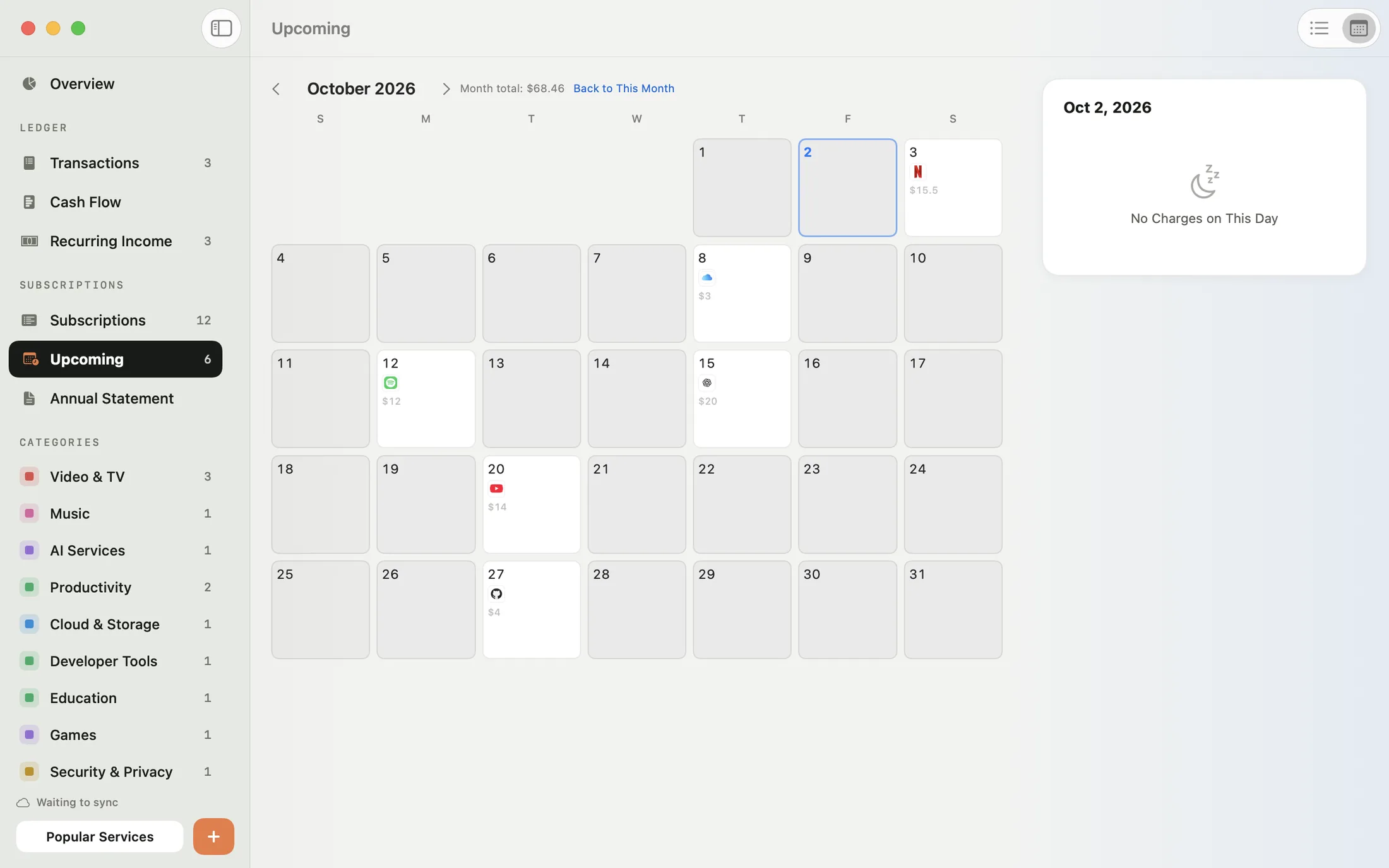
Upcoming (⌘4) in the sidebar lays out every charge ahead of you, in two views:
- Timeline: Lists every charge grouped by month, with a total for each month. At the top, you’ll see the total for the period, the amount due within 7 days, and the number of services involved.
- Calendar: See at a glance which subscriptions are due each day. Click a day to see its details and Day Total, and click Back to This Month to return to the current month.
You can show the next 30 days, 90 days, 6 months, or 12 months.
When trials end
There’s no separate notification when a trial ends. Once you set a subscription’s status to Trial and choose a Trial End Date, Subscription Review in Overview lists the trial starting 7 days before it ends, reminding you to decide whether to keep it or cancel. See Subscription Review.